Know if you're up.
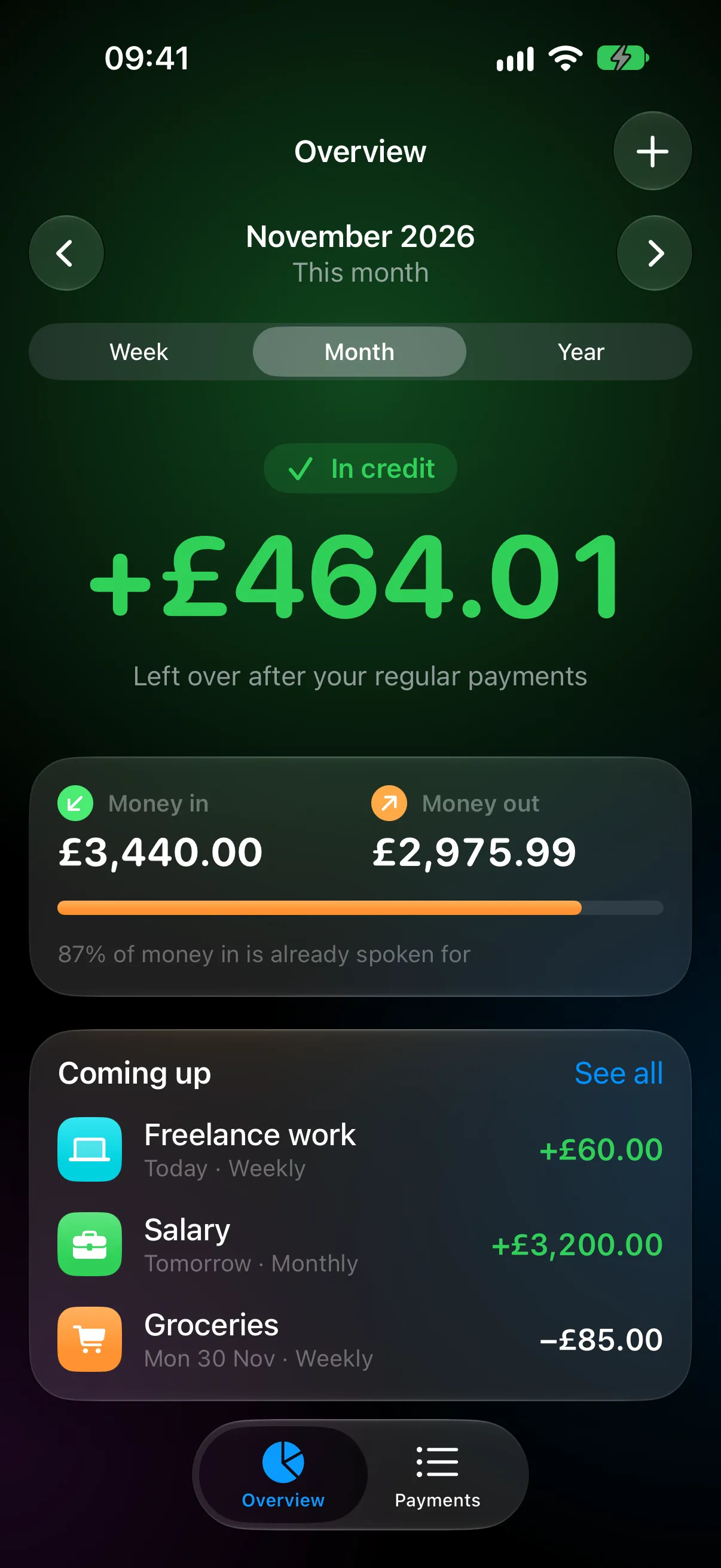
UpDosh adds up your regular payments and shows one number: what's left. Green means you're up. Orange means you're short.
Free · iOS 27 or later · No account needed
- left over this month
- +£464.01
- of money in already spoken for
- 87%
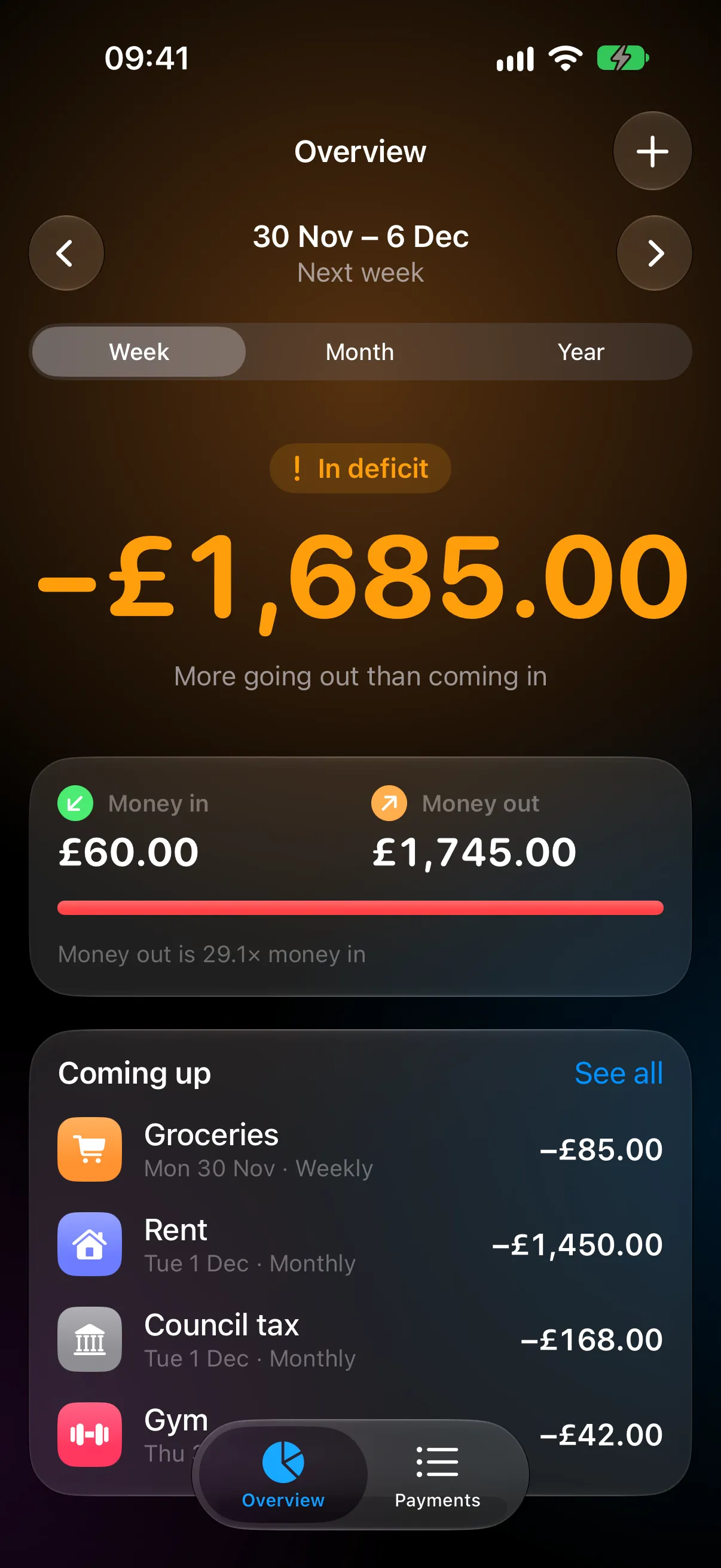
- short next week, seen coming
- −£1,685
One example month: a salary in, then rent, council tax, energy and the weekly shop out. No bank login needed to see it.
Add it once. Never again.
Most of your money moves on a schedule. Tell UpDosh what comes in, what goes out and how often, and it works out every date from there.
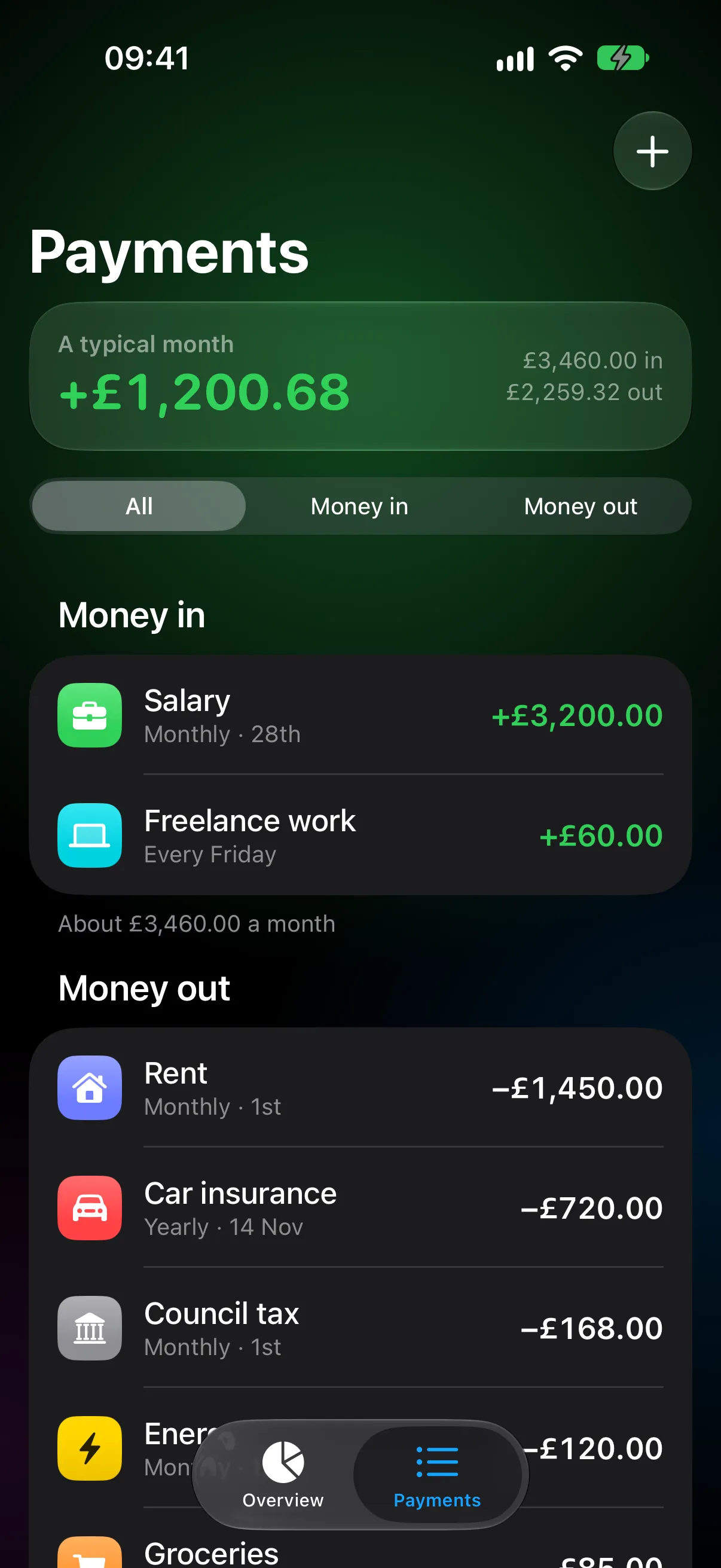
Any rhythm, even a bill on the 31st.
- Weekly. Groceries, side income.
- Every 2 weeks. Wages, childcare.
- Monthly. Rent, bills, subscriptions.
- Every 3 months. Water, service charges.
- Yearly. Insurance, memberships.
No receipts, no categories, no tracking every coffee.
Green means up. Orange means short.
A month can look fine while the week after payday doesn't. UpDosh shows you both.
- Week, month or year. Flip between them, backwards or forwards, and see what’s left in each.
- See it coming. When rent and council tax land in the same week as the shopping, that week turns orange first.
- How much is spoken for. A bar shows what share of the money coming in is already committed.
Your money stays yours.
UpDosh doesn't collect anything. Read the privacy policy.
No account.
Open the app and start. There’s nothing to sign up for.
No bank login.
You add the payments that matter. UpDosh never sees your bank.
No tracking.
No analytics, no ads. Your payments never leave your iPhone.
Questions, answered.
Don't see yours? Visit support.
What does the big number mean?
It's what's left in the period you're looking at once all your regular payments are counted: money in minus money out. Green means you're up, orange means you're short.
Why is a week orange when my month is green?
Payments don't land evenly. If rent and bills go out in the week after payday, that week can be short even though the month as a whole is fine. Switch between Week, Month and Year to see each one.
How do I change the currency?
UpDosh uses your iPhone's region. Change it in Settings › General › Language & Region › Region.
Does UpDosh connect to my bank?
No, and it never will without asking. You type in the payments that matter and they stay on your iPhone. See the privacy policy.
Can I move my payments to a new iPhone?
Yes, if you set up the new iPhone from an iCloud or computer backup of the old one. UpDosh's data comes across with your other apps.
Know where you stand.
One number, set up in a few minutes.